Feeding Flightradar24 when using an existing feed
I run OARC’s ADS-B feeder that feeds their public and my site.
I also wanted to feed Flightradar24, but when I setup months ago I seemed to have made a configuration error so it never feed anything to them.
This is a quick overview on how to configure an existing feed that uses an RTL-SDR and tar1090.
Install Flightradar24’s feed and follow the prompts to set the feed up.
Once it’s installed, navigate to the more friendly browser based GUI; the GUI can be found http://feederPrivateIP:8754. In my case it was http://192.168.1.159:8754. You can also use a hostname if one was configured.
Navigate to Actions and click Settings:
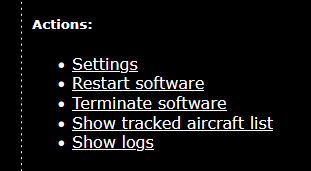
Within the settings, locate the following:
-
Receiverand change it toModeS Beast (TCP) -
Host/IPand set to127.0.0.1:30005
You can also use:
Reciver:avr-tcpHost/IP:1270.0.0.1:30002
You shouldn’t need to restart the FR24 feed as it’ll do that once you save the configuration, but if you do: sudo systemctl restart fr24feed.
Assuming you’ve completed the signup steps, you should now see the feed in your My data sharing section.
Hope this helps!